Welcome to our websites!


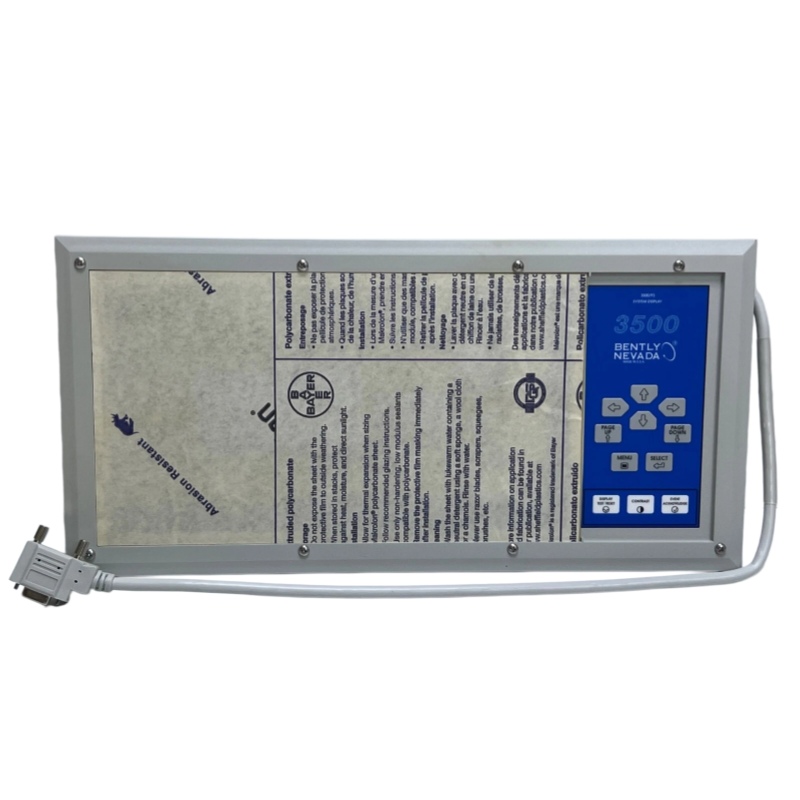
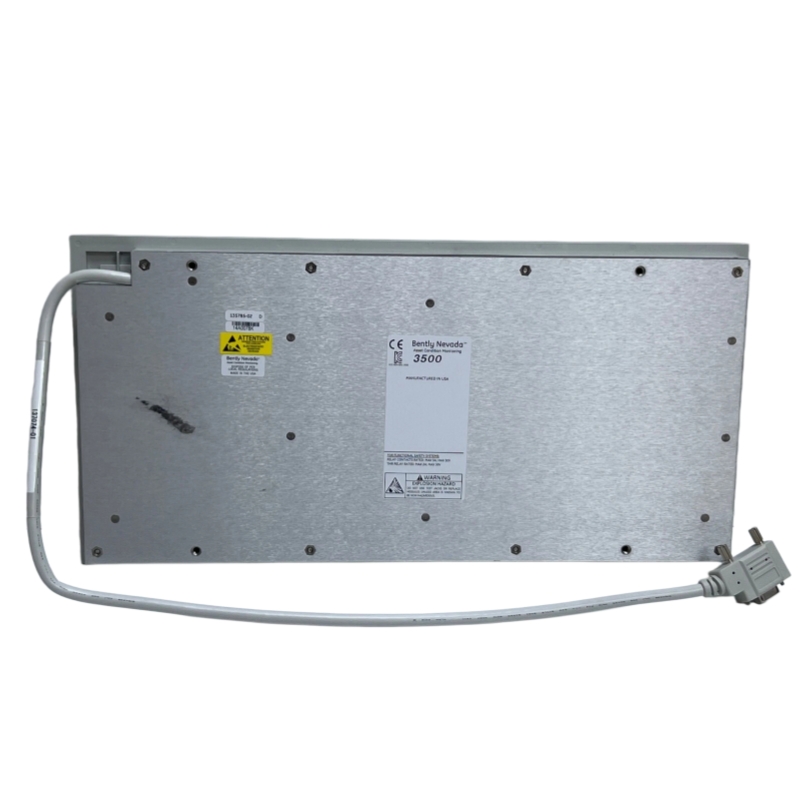
Bently Nevada 135785-02 Display Module
Bently Nevada 135785-02
1. Overview
The 135785-02 is a display module belonging to the Bently Nevada 3500/93 system family. Equipped with a high-resolution display screen, it presents real-time system operating status, fault alarms, and critical parameters including vibration, temperature, and rotational speed. As the primary interface for on-site personnel to interact with the monitoring system, this module supports both local visual display and remote monitoring capabilities.
______________________________________________________________________________________________
2. Specifications
Display Technology: Generally equipped with a backlit liquid crystal display (LCD) featuring anti-glare treatment, suitable for various lighting conditions in industrial field environments.
Dimensions and Weight:
Dimensions: Approximately 190mm x 162mm x 108mm
Weight: Approximately 1.2 kg (2.15 lbs)
Power Supply: Compatible with 115V/230V AC input or 24V DC input.
Operating Environment:
Operating Temperature Range: -40°C to +70°C
Ingress Protection: Generally rated IP65, providing reliable dustproof and waterproof performance.
Additional Functions: Built-in data logging capacity, typically supporting historical data storage for several weeks to months. It also displays system event lists and alarm logs for troubleshooting and record-keeping.
______________________________________________________________________________________________
3. Product Features
API 670 Compliant: Designed and manufactured in full compliance with the American Petroleum Institute API 670 standard, ensuring seamless compatibility with the 3500/93 monitoring system.
Multi-Mode Display: Supports waveform displays, trend graphs, spectrum analyses, and real-time numerical readings, enabling fast and accurate equipment fault diagnosis.
Flexible Mounting Options: Offers versatile installation methods to suit different application scenarios:
- Face Mounting: Directly installed on the front panel of the rack for convenient on-site operation and monitoring.
- EIA Rack Mounting: Fits into standard 19-inch equipment racks, ideal for power distribution rooms and central control rooms.
- Panel Mounting: Installed into pre-cut openings on cabinet panels for integrated equipment layout.
- Independent Mounting: Secured to walls or custom brackets for standalone placement.
High-Brightness Display: Features enhanced backlighting technology, delivering clear and legible visuals even in dimly lit spaces or strong direct sunlight.
______________________________________________________________________________________________
4. Construction and Components
The Bently Nevada 135785-02 module consists of the following core components:
Display Screen: The core liquid crystal or LED display panel for visual data output.
Housing: Sturdy metal enclosure that provides robust mechanical protection and effective electromagnetic shielding.
Display Interface Module (DIM): Connects to the backplane of the 3500/93 rack, facilitating reliable power transmission and data signal exchange.
Mounting Brackets and Accessories: Includes front mounting brackets, wall mounts, and other hardware for secure installation.
______________________________________________________________________________________________
5. Applications
Power Generation: Real-time monitoring of generators, steam turbines, and other critical power equipment.
Oil and Gas: Vibration and condition monitoring for compressors, pump stations, and other key processing equipment.
Chemical and Pharmaceutical: Operational status monitoring for reaction kettles, mixers, and industrial processing machinery.
Papermaking and Metallurgy: Condition monitoring for large-scale motors, fans, mills, and heavy industrial equipment
______________________________________________________________________________________________.
6. Installation and Maintenance
Installation Steps
1. Select a suitable mounting method (such as face mounting) based on site requirements. Insert the Display Interface Module (DIM) into the corresponding slot of the 3500/93 rack, typically the rightmost slot.
2. Verify secure power connections. If using an external power supply, attach the power cable to the module’s power port properly.
3. Adjust the module’s angle and position to ensure the screen faces operating personnel for clear visibility.
Maintenance Guidelines
Regular Calibration: The display module itself does not require routine calibration, but ensure all connected sensors and system modules are properly calibrated.
Cleaning: Wipe the display screen gently with a clean, soft cloth. Avoid using corrosive cleaning agents or harsh chemicals that may damage the screen surface and housing.
Troubleshooting: If abnormal display occurs, first inspect power cables and signal wiring for loose connections or damage. Replace the Display Interface Module (DIM) if necessary to restore normal operation.
————————————————————————————————————-
If you would like to learn more about our products and services, please feel free to contact us at any time!
- Sales Manager : Jinny
- Email : sales5@xrjdcs.com
- Whatsapp/Mobile:+86 15359273791
Global renowned brand cooperation
ABB 丨 GE 丨Allen Bradley 丨 Honeywell 丨 Emerson 丨 Bently Nevada 丨 Westinghouse
Triconex 丨 Foxboro 丨 ICS Triplex 丨 Hima 丨 Schneider 丨 Yokogawa 丨 Woodward
—————————————————————————————
Company Introduction
With 20 years of professional experience in large-scale imported systems, our company is engaged in the sales of spare parts for distributed control systems (DCS), programmable logic controllers (PLC), MOTOROLA MVME industrial modules, industrial control communication converters (Anybus), remote input/output modules (RTU), industrial personal computers (IPC), industrial low-frequency screens (IPC), human-machine interface SCSI (50, 68, 80 Pin), AnyBus (Gateway), redundant fault-tolerant control systems, and robot systems.
____________________________________________________________________________________________________________________
Our Advantages
Rich Product Line
We have a complete range of industrial control system equipment, which can meet the various needs of customers in different fields. Whether it is PLC, inverter, sensor, or other automatic control equipment, we can provide professional solutions.
High-Quality Service
We have an experienced team that can provide customers with comprehensive services from product selection, technical support to after-sales service. We always adhere to customer-centricity and create maximum value for customers.
Stable Supply Chain
We have established long-term and stable cooperative relationships with many world-renowned brands, which can ensure the authenticity and stable supply of products.
Professional Technical Support
Our technical team has rich industry experience and can provide customers with professional technical consulting and solutions.

Write your message here and send it to us