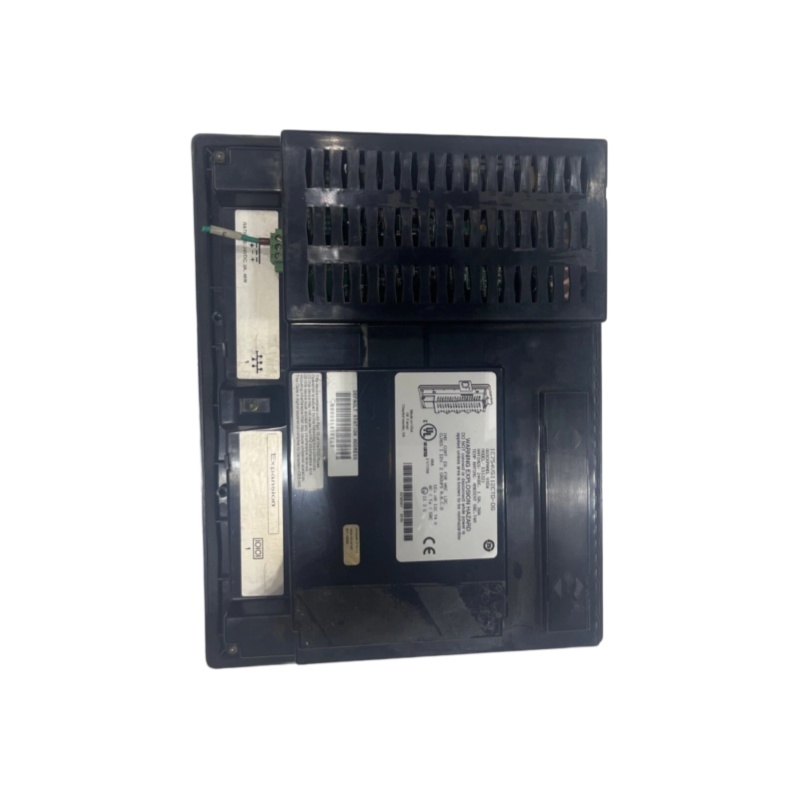
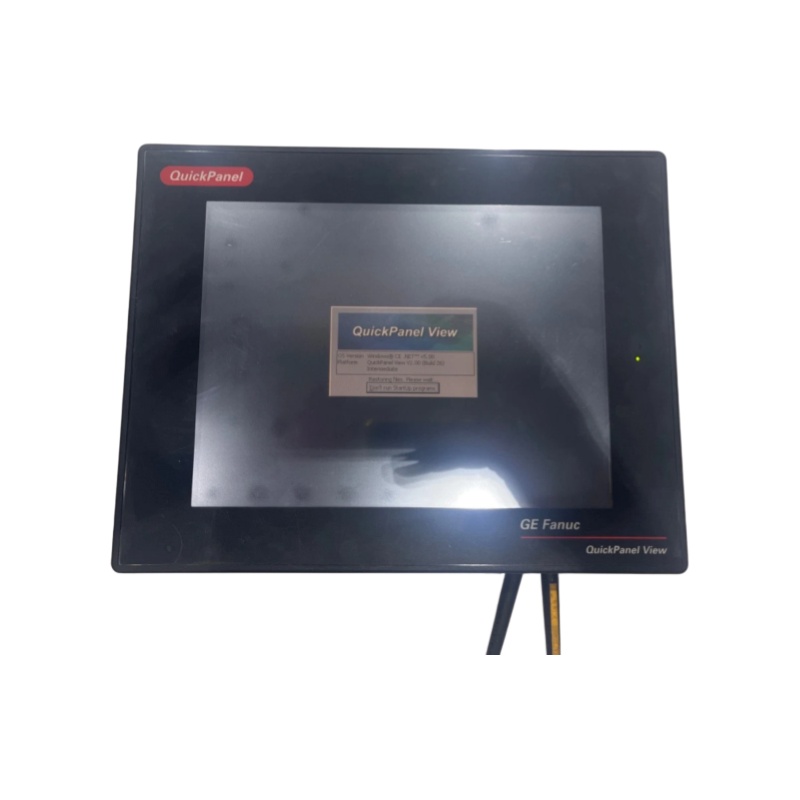
GE Fanuc ES1221 Touchscreen
GE Fanuc ES1221
Technical Specifications
|
Parameter Item
|
Specification Value
|
|---|---|
|
Brand
|
GE Fanuc
|
|
Series
|
QuickPanel View / QuickPanel+
|
|
Model
|
IC754VSI12CTD (Corresponding to ES1221)
|
|
Display Size
|
12.1-inch TFT LCD
|
|
Touch Screen Type
|
Resistive Touch Screen
|
|
Resolution
|
800 × 600 Pixels
|
|
Memory
|
32MB Dynamic RAM
|
|
Power Supply
|
24VDC (Rated 1.5A/36W or 2A/48W)
|
|
Power Consumption
|
<48W (or 36W)
|
|
Operating System
|
Windows CE 4.1
|
|
Weight
|
2.470 Kg
|
|
Panel Cutout Dimension
|
11.88″ × 8.96″ × 2.7″ (302 mm × 228 mm × 60 mm)
|
|
Operating Temperature Range
|
Standard: -20°C to +60°C (-4°F to 140°F)Environmental: 0°C to 50°C (Class 1 Div.2 Groups A, B, C, D)
|
|
Ingress Protection Rating
|
IP65 (Partial Models)
|
Product Features
- Touch Screen Operation: Featuring a 12-inch color touch screen, the device allows users to operate and control equipment through direct screen touch, enabling simple and intuitive operation.
- OS Compatibility: Pre-installed with Microsoft Windows Compact Embedded (CE) operating system, it delivers a user-friendly interface for device configuration and daily maintenance.
- Diversified Communication Interfaces: Equipped with one Ethernet port and one RS232/RS422 combined serial port, supporting flexible industrial data transmission and device connection.
- Industrial-Grade Design: Adopts rugged industrial-grade construction to withstand harsh industrial environments, ensuring long-term stable operation and high reliability.
- Powerful Performance: Built with a high-performance processor and graphics engine, supporting smooth system operation and responsive interactive experience.
- Professional Certification: Certified with Class 1 Div.2 Groups A, B, C, D and Eex Na Iic T4x, meeting strict industrial safety standards.
Structure and Composition
- Display Module: 12.1-inch TFT LCD color display, providing clear and high-definition visual display for industrial monitoring.
- Touch Screen Module: Consists of touch detection components and a touch screen controller, which accurately detects touch actions and transmits position signals in real time.
- Processor and Memory: Equipped with a high-performance core processor and 32MB dynamic RAM to support efficient system operation and data processing.
- Communication Module: Integrates Ethernet interface and RS232/RS422 combined serial port to adapt to diverse industrial communication protocols.
- Power Supply Module: Supports standard 24VDC power input, with stable power supply performance for industrial scenarios.
- Housing: Industrial-grade protective housing with dustproof and waterproof performance, supporting standard panel mounting.
Application Fields
- Food and Beverage Processing
- Pharmaceutical and Cosmetic Production
- Chemical Manufacturing
- Oil and Gas Exploitation
- Power Generation and Distribution
- Water Treatment Projects
- Other industrial scenarios requiring human-machine interaction
Installation and Maintenance
Installation Method
Common Faults and Troubleshooting
- No display after power-on
- Operation alarm prompt
- Touch pad cracking
- Touch screen glass damage
- Failure to communicate with computer
- Unresponsive touch screen
- Black screen after power-on
- White screen after power-on
- If the buzzer responds when touching the screen, it indicates the system program is running normally.
- Check whether the 12VDC voltage of the high-voltage strip is normal.
- Confirm the ENABLE control voltage is at a valid low level.
Maintenance Recommendations
- Keep the operating ambient temperature within the standard range of -20°C to 60°C.
- Clean the touch screen surface regularly to prevent oil stains and liquid penetration.
- Regularly check and ensure firm connection of all communication interfaces.
————————————————————————————————————-
If you would like to learn more about our products and services, please feel free to contact us at any time!
- Sales Manager : Jinny
- Email : sales5@xrjdcs.com
- Whatsapp/Mobile:+86 18250705533
Global renowned brand cooperation
ABB 丨 GE 丨Allen Bradley 丨 Honeywell 丨 Emerson 丨 Bently Nevada 丨 Westinghouse
Triconex 丨 Foxboro 丨 ICS Triplex 丨 Hima 丨 Schneider 丨 Yokogawa 丨 Woodward
—————————————————————————————
Cut Maintenance Costs – Optimize operations and reduce expenses with our high-quality, affordable automation replacement parts.
Always Available – Essential automation parts are constantly in stock, ensuring zero downtime for your operations.
24/7 Support – Our team is ready around the clock to assist with urgent needs and inquiries.
Fast Delivery – Ready stock enables quick dispatch and fast shipping, keeping your operations running smoothly.
100% Quality Assurance – Every part is strictly tested to ensure reliability and long-term performance.
Competitive Pricing & Outstanding Service – Exceptional service and unbeatable pricing maximize your value.
Choose us today for peace of mind, cost savings, and operational efficiency like never before!