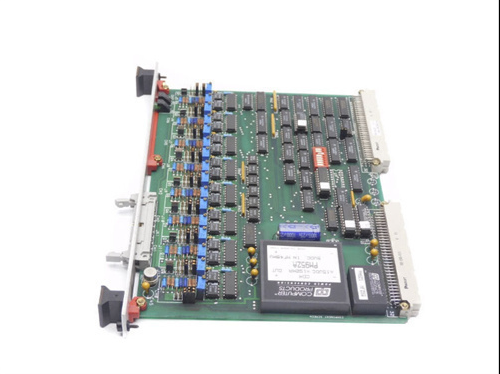
XYCOM 5017-T Touch Display
XYCOM 5017-T
XYCOM 5017-T is a high-resolution flat-panel touch display designed for industrial on-site applications. Adopting “Smart Panel” technology and equipped with a resistive touch film, it delivers reliable visual and interactive functions in harsh workshop environments. Its rugged housing meets protection ratings such as NEMA 4/4X/12 and IP65, making it suitable for dustproof and waterproof on-site use.
Key Technical Specifications
- Display Size: 15.6-inch (approx. 40 cm) LCD screen with a resolution of 1024 × 768 pixels.
- Mechanical Dimensions: 14.70 inches (373.4 mm) in height, 17.36 inches (440.9 mm) in width, 2.85 inches (72.4 mm) in depth, and weighs approximately 7.7 kg.
- Power Supply: Supports 100-240 VAC 1 A (50/60 Hz) or 18-30 V DC (max. 2.5 A); some models offer a 24 V/SS option.
- Protection Rating: NEMA 4/4X/12, IP65, with a dustproof and waterproof front panel.
- Certifications: UL 508, UL 1604, cUL, CSA-C22.2 #142 / #213, CE (EN55022-A, EN 61000-6-2, EN 60950, EN 61000-3-2/3-3), complying with global safety and EMC standards.
- Interfaces: Multiple commonly used industrial communication ports including VGA, RS-232, RS-485, Ethernet, USB, and PS/2.
- Optional Models: 5017-T-24V, 5017-T-SS (stainless steel front panel), etc., to meet different voltage and protection requirements.
Product Features
- High Reliability: Rugged housing and IP65 protection adapt to workshop dust, humidity, and temperature changes.
- Flexible Power Supply: Compatible with AC or DC power, facilitating deployment under different on-site conditions.
- Rich Interfaces: Multiple industrial communication interfaces for compatibility with existing PLC, SCADA, and host computer systems.
- Easy Integration: Provides standardized drivers and software tools to support rapid configuration and debugging.
- Optional Stainless Steel Panel: Offers additional protection in more severe corrosive environments.
Structure and Composition
- Display Module: 15.6-inch LCD panel with integrated backlight and driver circuit.
- Touch Layer: Resistive touch film combined with a dedicated control chip to achieve multi-touch functionality.
- Main Control Board: Built-in industrial-grade processor and I/O interfaces, responsible for image display, touch signal processing, and communication.
- Power Module: Supports a wide range of AC/DC input, with internal voltage stabilization and overcurrent protection.
- Housing: Metal frame with plastic panel, meeting NEMA 4/4X/12 and IP65 standards to provide dustproof and waterproof protection.
- Connection Terminals: Various interface pins or sockets such as RJ45 and USB are equipped at the rear for convenient on-site wiring.
Typical Application Areas
- Automated Production Lines: Serves as an operator interface to display process parameters, alarm information, and enable on-site control.
- Machine Vision Systems: Cooperates with cameras and image processing software to achieve real-time monitoring and inspection.
- Process Control: Used for process monitoring and adjustment in industries such as chemical, food, and packaging.
- Logistics and Warehousing: For status display and interaction of conveyor lines and sorting systems.
- Energy Management: Displays operational data and enables remote control in power stations and distribution rooms.
Installation and Maintenance Guidelines
- Installation: It is recommended to use dedicated brackets or panel fasteners to mount the display on shockproof and dustproof cabinets or workbenches. Ensure power and signal cables comply with IEC 60320 standards and are properly grounded.
- Wiring: Use shielded cables to connect communication interfaces such as RS-485 and Ethernet to avoid electromagnetic interference. If using DC power, check the voltage range and polarity.
- Debugging: Enter the self-test mode after first power-on to check display, touch response, and the functionality of each interface. Configure resolution, brightness, and touch calibration through the provided configuration software.
- Daily Maintenance: Regularly clean the front panel with a soft, dry cloth; avoid using corrosive cleaning agents. Check the tightness of screws to prevent loosening due to vibration.
- Troubleshooting: If display abnormalities or touch failures occur, first check the connection of power and signal cables. If necessary, replace the main control board or touch film with spare parts for troubleshooting.
————————————————————————————————————-
If you would like to learn more about our products and services, please feel free to contact us at any time!
- Sales Manager : Jinny
- Email : sales5@xrjdcs.com
- Whatsapp/Mobile:+86 15359273791
Global renowned brand cooperation
ABB 丨 GE 丨Allen Bradley 丨 Honeywell 丨 Emerson 丨 Bently Nevada 丨 Westinghouse
Triconex 丨 Foxboro 丨 ICS Triplex 丨 Hima 丨 Schneider 丨 Yokogawa 丨 Woodward
—————————————————————————————
Our Product Commitments
Ordering Process